To play at Rollbit, every new player needs to create an account first — and that’s about the only barrier between you and everything the platform has to offer. The good news is that Rollbit registration takes less than a minute, whether you go through the standard form or connect via Steam, Twitch, or MetaMask.
Once your casino account is live, the full platform opens up: casino games, sports betting, crypto futures, daily races, and instant deposits and withdrawals in crypto. The sections below walk through every step, from eligibility to your first login, so you know exactly what to expect before you create your Rollbit account.
Registration Terms and Conditions
Rollbit sets clear expectations before you sign up — the platform has specific requirements every new player needs to meet. Checking these in advance saves time and avoids issues later down the line.
- You must be at least 18 years old, or the legal gambling age in your country if that’s higher
- All personal details must be accurate: full name, date of birth, residential address, email, and phone number
- The account is for your personal use only — registering on behalf of someone else isn’t permitted
- Buying, selling, or transferring accounts is strictly prohibited under Rollbit terms and conditions
- You are responsible for complying with any local laws that apply to online gambling in your jurisdiction
- No court order or legal restriction should prevent you from using the service
- Players with a diagnosed gambling problem are not eligible to register
- Anyone currently self-excluded from another Rollbit account cannot open a new one
Breaking any of these conditions gives the platform grounds to suspend or permanently close your account, so it’s worth being honest from the start — both about your account eligibility and your gambling age requirements.
How to Register at Rollbit Casino
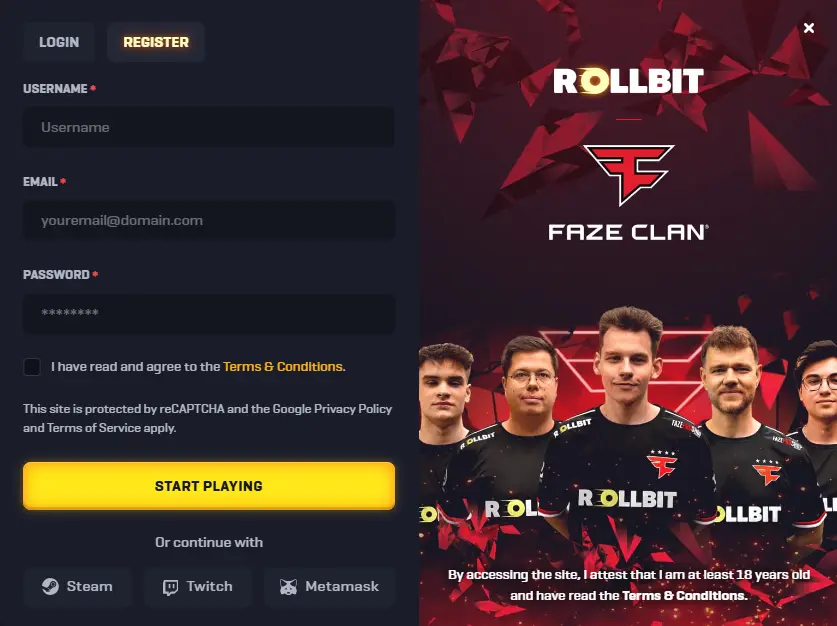
Standard registration is straightforward. Visit the official Rollbit site and you’ll be through the process in under a minute — here’s how to register at Rollbit step by step:
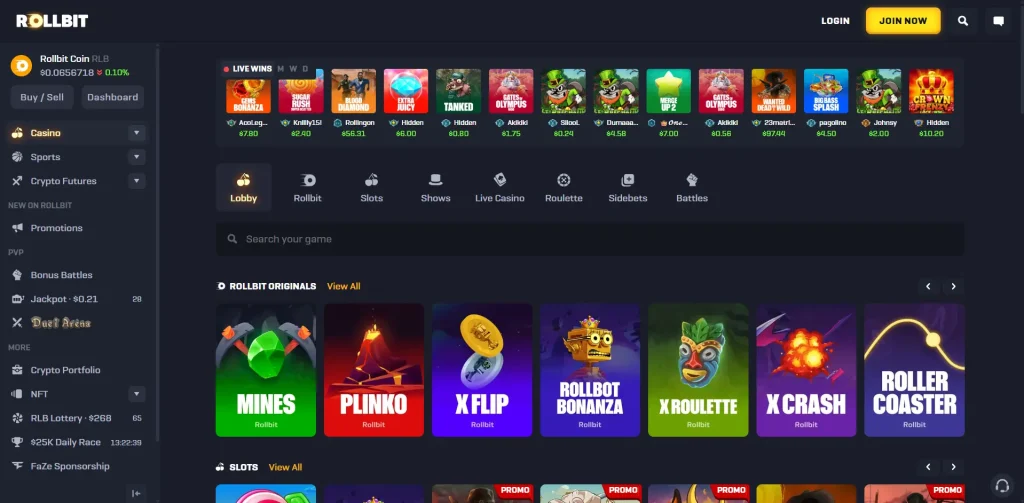
- Click the yellow “Join Now” button on the homepage
- Enter your chosen username and email address
- Create a strong password
- Accept the site’s Terms & Conditions
- Click “Start Playing” to finish
Your account goes live immediately after that last click — no waiting for a confirmation email before you can get started.
Alternative Sign Up Methods
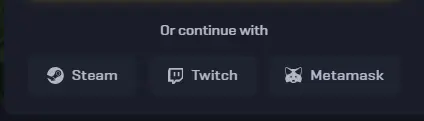
If you’d rather skip the form entirely, Rollbit sign up through a third-party platform is another option — and it’s just as valid as the standard route.
- Steam — connect your existing gaming account directly
- Twitch — useful if you already use the platform for streaming or watching
- MetaMask — the most direct route for crypto users who already have a wallet set up
Skipping the form doesn’t mean skipping verification entirely — you’ll still provide the necessary personal details during the KYC process, which applies across all registration methods on these social networks.
How to Login to Crypto Casino Account
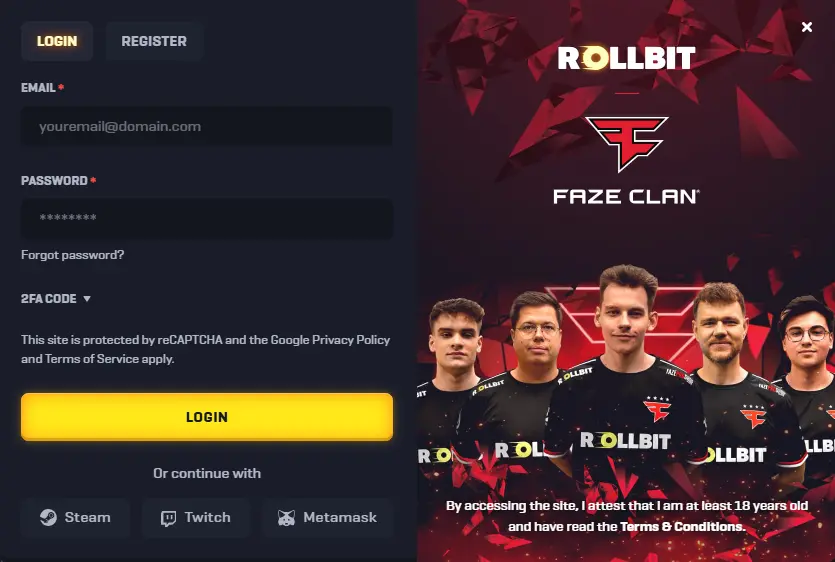
Registered players can access their account from any device at any time — desktop, phone, or tablet. Rollbit login takes no more than 5–10 seconds from the moment you open the site.
- Visit the Rollbit website and select the login option
- Enter your username and password
- Click Login to enter your account
Security tip: If you want an extra layer of protection on your crypto casino login, head to account settings and enable 2FA security. It takes two minutes to set up and significantly reduces the risk of unauthorised access.
Rollbit Account Verification
Account verification isn’t something Rollbit forces you to complete all at once. You can move through it gradually, unlocking more features as you go — which makes the process far less intimidating than it might sound.
That said, the information you provide needs to be accurate from the start. During registration you commit to sharing your real full name, date of birth, residential address, email, and phone number. If any of these details change, updating your profile promptly is your responsibility — not something to leave until a withdrawal gets flagged. The full KYC verification process, including every level and what each one requires, is broken down in the section below.
How do I complete KYC Verification?
Log in, open your profile, and work through five verification levels at your own pace — each one unlocks a bit more of what the platform can do.
| Level | Required Information |
|---|---|
| Level 1 | Name, date of birth, residential address |
| Level 2 | Photo of your ID document — click Submit Documentation |
| Level 3 | Interactive selfie and ID photo with liveness check |
| Level 4 | Proof of current residential address that matches your ID |
| Level 5 | Documentation to confirm your source of funds |
Completing all five levels of Rollbit identity verification removes every remaining restriction on the account — most importantly, the ability to withdraw funds, which requires proof of address and source of funds verification at the higher levels.
Features Available to Players After Registration
Creating an account takes under a minute, but what comes after is the real point. Once you’re in, the full Rollbit casino features library opens up across every section of the platform — no waiting periods, no locked tabs.
Here’s what’s available from day one:
- Casino Games — slots, live dealer tables, and classic table games from leading providers
- Rollbit Originals – Original titles from crypto casino
- Sports Betting — markets across major sports with competitive odds and live options
- Crypto Futures — trade crypto futures directly within the platform, alongside your casino activity
- Bonuses and Daily Races — regular promotions, leaderboard races, and rewards that refresh daily
- Instant Deposits and Withdrawals — crypto transactions process immediately, with no delays on either end
The combination of crypto casino games and instant crypto withdrawal in one place is what sets the platform apart from more traditional alternatives.
Rollbit Registration Problems and Fixes
Rollbit is a large international platform, and like any site handling thousands of registrations daily, occasional hiccups happen. Most of the time the fix is simple — the table below covers the most common casino sign up issues and what to do about each one.
| Problem | Solution |
|---|---|
| Email not received | Check your spam folder and request a new confirmation email |
| Username already taken | Try a variation — add numbers or change the format |
| Social login not working | Review permissions in your Steam, Twitch, or MetaMask settings |
| Page not loading | Clear browser cache or switch to a different browser |
| Country restricted | Verify whether your region is supported before attempting again |
| Verification email expired | Request a fresh verification link from the login screen |
If none of these account creation fixes resolve the issue, the live chat support team is the fastest way to get it sorted.